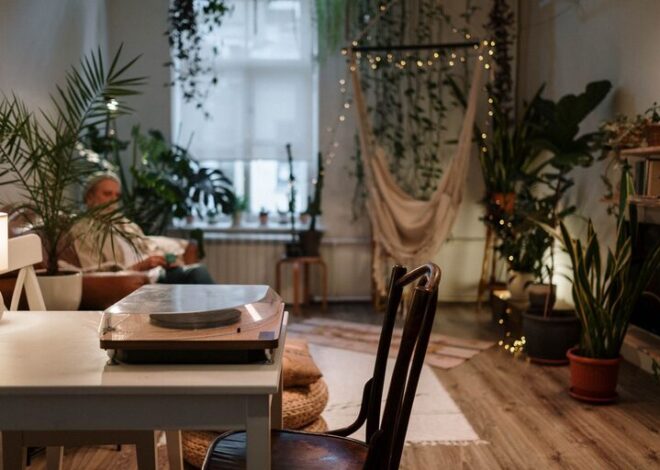

Tips for Creating an Organized Home Office Space to Boost Productivity
Creating a well-organized home office space is essential for boosting productivity and maintaining a clear mind while working from home. Whether you’re new to remote work or have been doing it for a while, setting up an environment that supports your workflow can make a significant difference in how efficiently you complete your tasks. In this post, we’ll share practical tips to help you create an organized home office that fosters focus, comfort, and productivity.
Why an Organized Home Office Matters
A cluttered workspace can lead to distractions, decreased motivation, and even stress. By contrast, an organized office not only helps you find what you need quickly but also creates a professional atmosphere that encourages work and creativity. Taking the time to set up a space that works for you can:
– Reduce time spent searching for supplies
– Minimize distractions and improve concentration
– Increase motivation and a sense of accomplishment
– Support better posture and comfort throughout the day
Step 1: Choose the Right Space
Before organizing, select a dedicated area for your home office. This could be a spare room, a corner in your living room, or even a nook near a window. Consider the following:
– Natural light: Position your desk near a window if possible to benefit from daylight, which can improve mood and energy.
– Privacy: Find a spot that offers minimal noise and interruptions.
– Space: Ensure there is enough room for your computer, essential supplies, and some personal touches without feeling cramped.
Step 2: Declutter and Simplify
An organized space starts with decluttering. Here’s how to simplify your workspace:
– Sort items: Remove everything from your desk and drawers. Keep only what you use daily.
– Discard or store: Toss trash, recycle old papers, and store rarely used items elsewhere.
– Limit decor: Choose a few meaningful items but avoid overdecorating, as it can distract you.
Step 3: Invest in Functional Furniture and Storage
Having appropriate furniture and storage solutions lays the foundation for organization:
– Ergonomic chair and desk: Comfort is crucial for long work sessions, so invest in a comfortable chair and a desk at the right height.
– Storage bins and organizers: Use drawer dividers, file organizers, and small bins to keep supplies sorted.
– Shelves or bookcases: These help keep your documents, books, and office tools accessible but off the desk.
Step 4: Organize Your Desk Efficiently
Your desk is the core of your office. Organize it to support your daily workflow:
– Keep essentials within reach: Place your computer, mouse, notebook, and pens in easy-to-access spots.
– Use trays or containers: A desk organizer can keep small items like paper clips, sticky notes, and chargers tidy.
– Manage cables: Use cable ties or clips to prevent cords from tangling or cluttering the desk.
Step 5: Create a Paper Management System
Even in a digital world, paper clutter can build up quickly. Stay on top of it with these tips:
– File system: Use labeled folders or binders to store important documents.
– Inbox tray: Designate a spot for incoming papers that require your attention.
– Regular review: Schedule weekly time to file or discard papers to keep the system manageable.
Step 6: Utilize Digital Organization Tools
Beyond your physical space, organizing your digital files and tools also improves productivity:
– Cloud storage: Use services like Google Drive or Dropbox to access your documents from anywhere.
– Task apps: Apps like Todoist or Trello help track projects and deadlines.
– Declutter desktop: Keep your computer desktop clean by organizing files into folders.
Step 7: Establish Daily Routines to Maintain Order
Organization is ongoing. Maintain your work environment with simple habits:
– End-of-day cleanup: Spend 5-10 minutes tidying your desk before logging off.
– Weekly review: Clear out unnecessary items and check that everything is in its place.
– Prioritize tasks: Plan your workday with a checklist to maintain focus.
Step 8: Personalize Your Space Thoughtfully
Personal touches can make your office enjoyable and motivating without creating clutter:
– Plants: Adding greenery can improve air quality and mood.
– Artwork or photos: Select a few items that inspire you.
– Comfort items: A cozy blanket or a good desk lamp can enhance your workspace comfort.
Final Thoughts
An organized home office doesn’t happen overnight, but implementing these tips step-by-step can help you create a space that supports your productivity and well-being. Remember, the goal is to build a functional and inviting environment where you can work efficiently, stay organized, and feel motivated each day.
Start small and adjust your setup as you discover what works best for your routine. With a dedicated, tidy workspace, you’re more likely to enjoy your work-from-home experience and achieve your professional goals.