
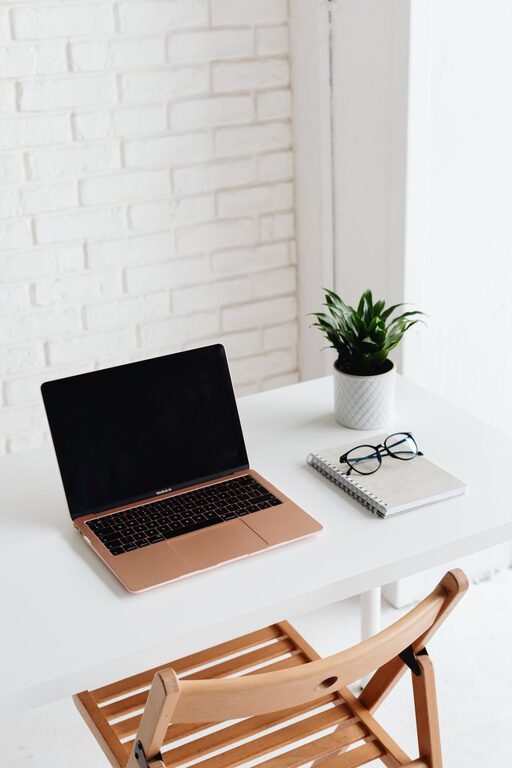
Tips for Organizing a Clutter-Free Home Office to Boost Productivity and Comfort
Creating a clutter-free home office is key to enhancing productivity and comfort. When your workspace is organized, it promotes focus, reduces stress, and supports a more efficient workflow. Whether you work from home full-time or need a designated spot for occasional tasks, a tidy office space can make a significant difference in your workday.
Below are helpful tips to organize your home office, minimize clutter, and create an environment that supports your best work.
Assess Your Space and Needs
Before you begin decluttering or organizing, take a moment to evaluate the space you have and how you use it.
– Identify essential items: What tools, supplies, and equipment do you use regularly? Keep these accessible.
– Consider your work style: Do you need a lot of desk space for papers? Or do you primarily work on a computer?
– Measure your space: This helps you choose appropriately sized storage solutions and furniture.
By understanding your unique needs, you can tailor your office setup for maximum comfort and productivity.
Declutter: The Foundation of Organization
Clutter can be distracting and overwhelming. Start by clearing everything off your desk and sorting through items.
– Sort items into categories: Keep, toss, donate, or relocate.
– Get rid of unnecessary items: Old papers, broken supplies, or duplicates often take up valuable space.
– Minimize paper: Go digital where possible to reduce piles of documents.
A clean slate allows you to redesign your office thoughtfully, focusing on what’s truly needed.
Use Smart Storage Solutions
Good storage helps maintain order and keeps your desk free of clutter.
– Desk organizers: Use trays, pen holders, or drawer dividers to keep small items neat.
– Shelving: Floating shelves or bookcases can store books, files, and decorative items without taking up desk space.
– Filing system: Use labeled folders or filing cabinets for paperwork to quickly locate documents.
– Cable management: Use clips or cable ties to keep cords tidy and prevent tangling.
Choosing storage that fits your space and style makes staying organized easier.
Optimize Your Desk Setup
Your desk is the heart of your office. Arrange it to enhance comfort and efficiency.
– Ergonomic chair: Invest in a chair that supports good posture.
– Monitor height: Position your computer screen at eye level to reduce neck strain.
– Lighting: A combination of natural light and adjustable desk lamps reduces eye fatigue.
– Keep essentials within reach: Items you use daily should be close to avoid unnecessary movement.
A carefully arranged desk promotes focus and reduces physical discomfort.
Create Zones for Different Tasks
If your space allows, divide your home office into different areas based on the type of work.
– Work zone: Desk and computer area for focused tasks.
– Reference zone: Shelves or filing space for books and materials.
– Supply zone: Storage for office essentials like paper, pens, and chargers.
Clearly defined zones help you move efficiently through your work and keep things organized.
Maintain Regular Tidying Habits
Organization is an ongoing process. Develop simple habits to keep your office clutter-free.
– Daily reset: Spend 5 minutes at the end of each day tidying your workspace.
– Weekly purge: Review your files, emails, and supplies regularly.
– One-in, one-out rule: For every new item you bring in, consider removing an old one.
These routines prevent clutter from building up and make cleaning less overwhelming.
Personalize Your Space Mindfully
A comfortable and inviting office can boost motivation but avoid overdecorating.
– Add plants: They improve air quality and add a touch of nature.
– Use meaningful decor: Photos or artwork that inspire you are great choices.
– Keep it simple: Limit decorations to avoid visual distraction.
A personalized yet tidy space fosters a positive work atmosphere.
Use Technology to Stay Organized
Leverage apps and tools to manage tasks and reduce paper clutter.
– Digital calendars and to-do lists: Keep track of deadlines and priorities.
– Cloud storage: Store documents online to organize files and access them anywhere.
– Note-taking apps: Replace sticky notes with digital versions to reduce physical clutter.
Technology can streamline your workflow and keep important information at your fingertips.
—
By following these tips, you can design a home office that is organized, comfortable, and conducive to productivity. Start with a clean and functional setup, add personalized touches carefully, and maintain regular habits to ensure your workspace stays clutter-free and inviting. An organized home office is an investment in your efficiency and wellbeing, making work-from-home days more pleasant and productive.
